
Compare Phones with /e/OS
A phone with /e/OS runs on Android without Google services. This offers privacy benefits, but it also means you have to accept that not every app will work. Below, you can see which devices are available with /e/OS, along with current prices from dozens of providers.
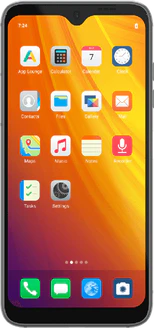
Why choose /e/OS?
In the App Lounge, the /e/OS app store, you can see how many trackers each app contains and what permissions it requests, summarized in a privacy score. With the Advanced Privacy widget, you can also decide for each app whether it’s allowed to track you, and you can hide your IP address or location. You won’t find a tracker counter or a privacy score for each app in the Play Store.

How are phones with /e/OS different?
- Repairability and lifespan: Some of the devices in this overview have a modular design, such as the Fairphone devices, allowing you to replace the screen and battery yourself.
- Generation: In addition to the current model, this overview also includes older devices running /e/OS.
What these devices have in common is /e/OS itself: the same user interface, the same app store, and the same privacy settings. The differences lie in the hardware, how repairable the device is, and how long it will continue to receive updates.
Do your regular apps still work?
This is where /e/OS might disappoint you, and it’s only fair to mention that up front. You install most apps through the App Lounge, and microG handles some of the functions for which apps normally use Google services. However, there are apps that refuse to launch without those services; banking and government apps are the most well-known high-risk categories. So before you switch, look up the apps you really need in the App Lounge, and check the /e/OS user forum to see if others have been able to get them working. If there’s a particular app you can’t do without and it doesn’t work without Google services, then a device running /e/OS isn’t a good choice.
Buy a device or install /e/OS yourself?
Both options are available. A ready-to-use device such as the Murena Fairphone (Gen. 6) comes with /e/OS pre-installed, offering a single point of contact for both hardware and software. If you already have a compatible device, you can install /e/OS on it yourself; this saves you from having to buy a new one, but the installation is a technical task you’ll have to do on your own. Keep in mind that not every model is compatible.
Choose a pre-configured device if you want everything to work right away.
Install /e/OS yourself if you already have a compatible device and don’t mind doing the installation yourself.
If you’re mainly looking for a device that’s durable and easy to repair, be sure to check out sustainable phones; you’ll find the entire selection there, including devices running standard Android.

