Compare Fitness Trackers
Fitness trackers track your heart rate, activity, and sleep in a more compact design than a smartwatch. On this page, you can compare models from all brands side by side, along with prices from all retailers, without favoring any particular store. Use the filters to narrow your search, or open a model’s page to see prices by retailer.
1 product
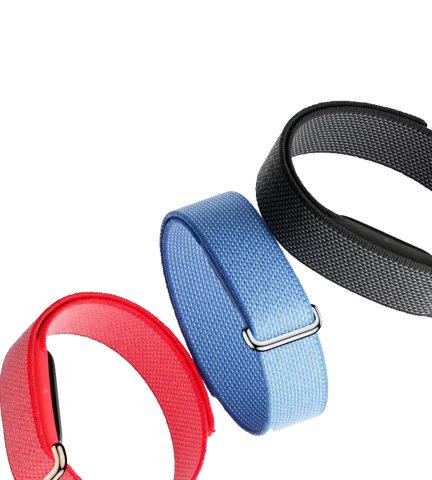
Screenless fitness trackers
All fitness trackers

The selection ranges from simple pedometers to bands that provide recovery advice, with sports modes for walking, running, cycling, and swimming. They continuously track data about your activity and health.
Which fitness tracker is right for you?
Four features determine which model is right for you.
How do fitness trackers really differ?
- With or without a screen: a model with a screen shows you stats and notifications right away, while a model without a screen just tracks your activity and lets you review everything in the app.
- Built-in GPS: without its own GPS, you’ll need to bring your phone to track your route; with built-in GPS, you can leave it at home.
- Measurement features: features such as blood oxygen levels, skin temperature, and recovery advice vary greatly by model.
- Water resistance: If you want to swim with it, check the specifications for the rating in ATM or the IP code, and whether the manufacturer states that the device is suitable for swimming and not just for splashes.
Measurements such as blood oxygen levels and skin temperature are indicative, not medical measurements. Therefore, do not draw any conclusions about your health from them.
The basic metrics are the same across the board: steps, heart rate, and sleep are found on virtually every model in this overview. The difference lies in how much information you want to see on your wrist, whether you want to go out without your phone, and how often you’ll need to charge it.
Choose a model without a screen if you want to charge it as little as possible and prefer to view your stats in the app.
Choose a tracker with built-in GPS if you run or bike outdoors and want to leave your phone at home.
Choose a smartwatch if you want to respond to notifications, make contactless payments, and use apps.
What don’t you get in the lowest price range?
The entry-level models handle the basic measurements well. What’s usually missing is built-in GPS. More detailed data on recovery, training load, and sleep stages is also often limited, and the screen is smaller and harder to read in sunlight.
Which brands make fitness trackers?
A handful of brands dominate the market, each with its own focus.
- Fitbit: one of the brands that made the category big, now part of Google.
- Garmin: focuses on sports and navigation, with built-in GPS on many models.
- Polar: originally a heart rate monitor brand, with an emphasis on training data.
- Huawei: emphasizes battery life.
- Samsung Galaxy Fit: the slim band in the Samsung lineup.
Additional Services
With some fitness trackers, you can sign up for an additional subscription. The brand will then store your data for longer, or you’ll receive more detailed analyses of your sleep and workouts. You usually pay for these services on a monthly basis.
Consider whether you really need those features, as another tracker might offer them without a subscription. Moreover, such subscriptions change in name and terms, so don’t assume they’ll work the same way with your next tracker. Also consider where your data ends up: you’re giving a brand access to your heart rate, sleep, and location. Check the app to see which data you can export and delete.
Health Apps
A fitness tracker’s screen is often too small to view detailed information. It’s more convenient to use your smartphone for that. Most fitness trackers sync their data with your phone. You can use the fitness tracker’s own app for this, or the app from your phone manufacturer. Examples include:
- Google Health
- Apple Health
- Samsung Health
- Garmin Connect
These apps store your history separately from the tracker, so a new tracker will usually pick up where you left off. Please note: if you switch from iPhone to Android or vice versa, your history won’t automatically transfer. In that case, check to see if the app offers an export option.
