17 February 2010
Favourites
You haven't found any favourite products yet!
Explore the products on our website and click on the heart icon to add products to this favourites list.
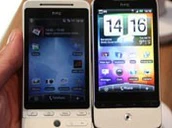
Start exploringDuring this MWC HTC has announced the Legend made of only one piece of aluminium. Including the back cover. So, how do you replace the battery of the Legend? Or is this impossible, just like Apple's Unibody Macbook?
The cover of the Legend reminds us of Apple's Macbook unibody. The problem with the Macbook is the irreplacable battery. Does the HTC Legend have the same problem? And where do you place your SIM card? We have the answers!

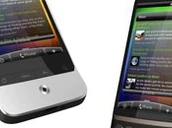
The bottom of the back cover is made out of black plastic that can be removed. This has everything to do with giving the antenna room to breath. The cover itself seems to act as an antenna, explaining the metal contacts.
You can then flip a plastic protection cover to reach the SIM-card and memory card slot. But where is the battery?
The battery is placed above the SIM card and memory card slot and can be slided vertically out of the Legend. So it is possible to replace the battery and the memory card can be replaced without having to shut down the phone.
This is a new way of HTC to replace the battery that is definitely saving space. Other producers will hopefully take this as an example and produce other 'unibody' designs and create more compact devices.
Related news


Contact form