Samsung Flex Magic Pixel: How Privacy Display Works on Galaxy S26 Ultra
Samsung continues to surprise us with innovative displays. For example, Samsung was the first to introduce colourful AMOLED, curved and flexible screens - and now a privacy screen. Exclusive to the Galaxy S26 Ultra. Let's analyse the technology and the practical value of this innovation.
Every few years, Samsung Display, Samsung's display division, introduces a new innovation. This time, it is a built-in privacy screen that can reduce the viewing angle of the entire display or just portions of it. This prevents unwanted viewing. How does it work?
Hardware: Wide vs. Narrow Pixels
OLED displays consist of red, green, and blue LED subpixels. These RGB pixels are designed to emit light as widely as possible in all directions, resulting in broad viewing angles without colour distortion. The Flex Magic Pixel (FMP) display on the S26 Ultra takes the opposite approach. It consists of both Wide Pixels and Narrow Pixels on a multi-layer Black Matrix substrate.
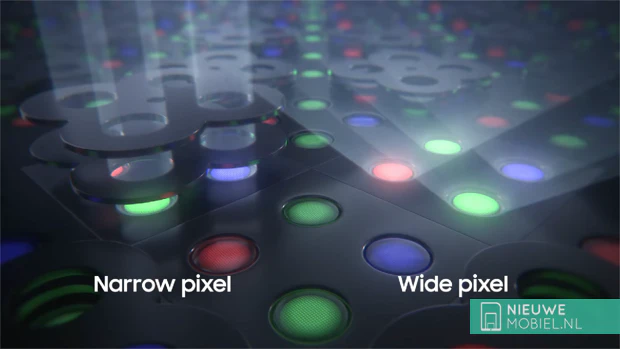
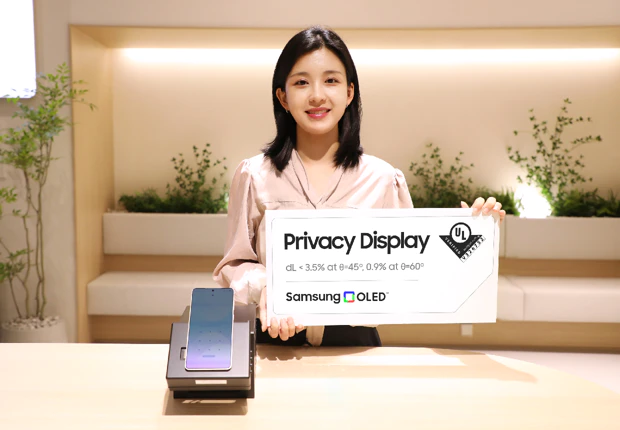
When the Privacy Display function is activated on the S26 Ultra, Wide Pixels turn off and only Narrow Pixels operate. As a result, light intensity decreases from 100% when viewed head-on to only 3.5% at a 45° viewing angle and 0.9% at angles over 60°. In comparison, regular displays typically retain 40% brightness at these viewing angles.
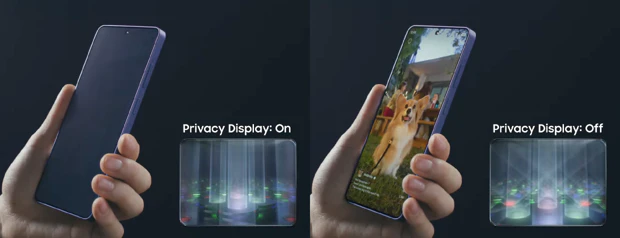
The result is that anyone not sitting directly in front of the device sees a blank screen. Users can further enhance this effect by activating Maximum Privacy Protection, which lowers the contrast of the active Narrow Pixels. This makes text illegible to bystanders while maintaining clarity for the user.
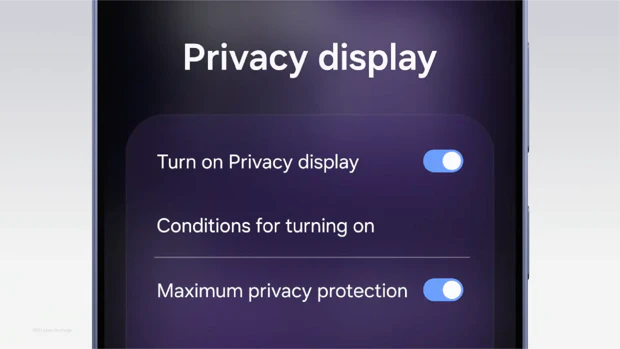
The advantage of the built-in Privacy Display on the S26 Ultra compared to a third-party privacy screen protector is that you can turn it off. Physical screen protectors also reduce light intensity and clarity when viewing the screen from the front, impacting the viewing experience.
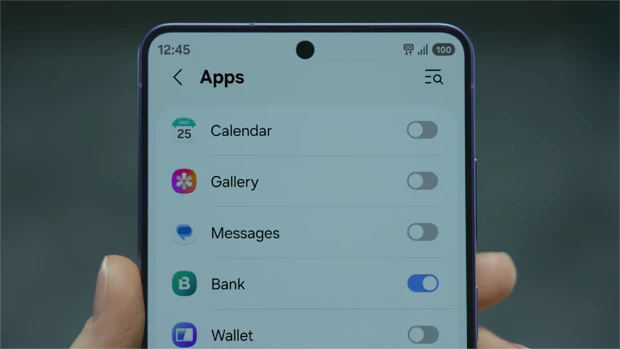
Software integration on the S26 Ultra enables smart features, such as specifying which apps use the privacy mode. For instance, you can add extra privacy to a banking app but not the dialler app.
Because it works at the pixel level, you can even apply privacy to specific sections of the screen, such as top-of-screen notifications. This keeps sensitive replies private even if someone is watching your screen.
Availability and Future of Privacy Displays
For now, the Privacy Display is exclusive to the Samsung Galaxy S26 Ultra, which launches March 10. Samsung demonstrated the screen at MWC 2024 and has since moved on to version 2 of the technology.
By showcasing the technology again at the upcoming MWC in Barcelona, it is clear that Samsung intends to supply this technology to other manufacturers as well. Other phone manufacturers may follow, altho it remains to be seen if we will see those first products in 2026.